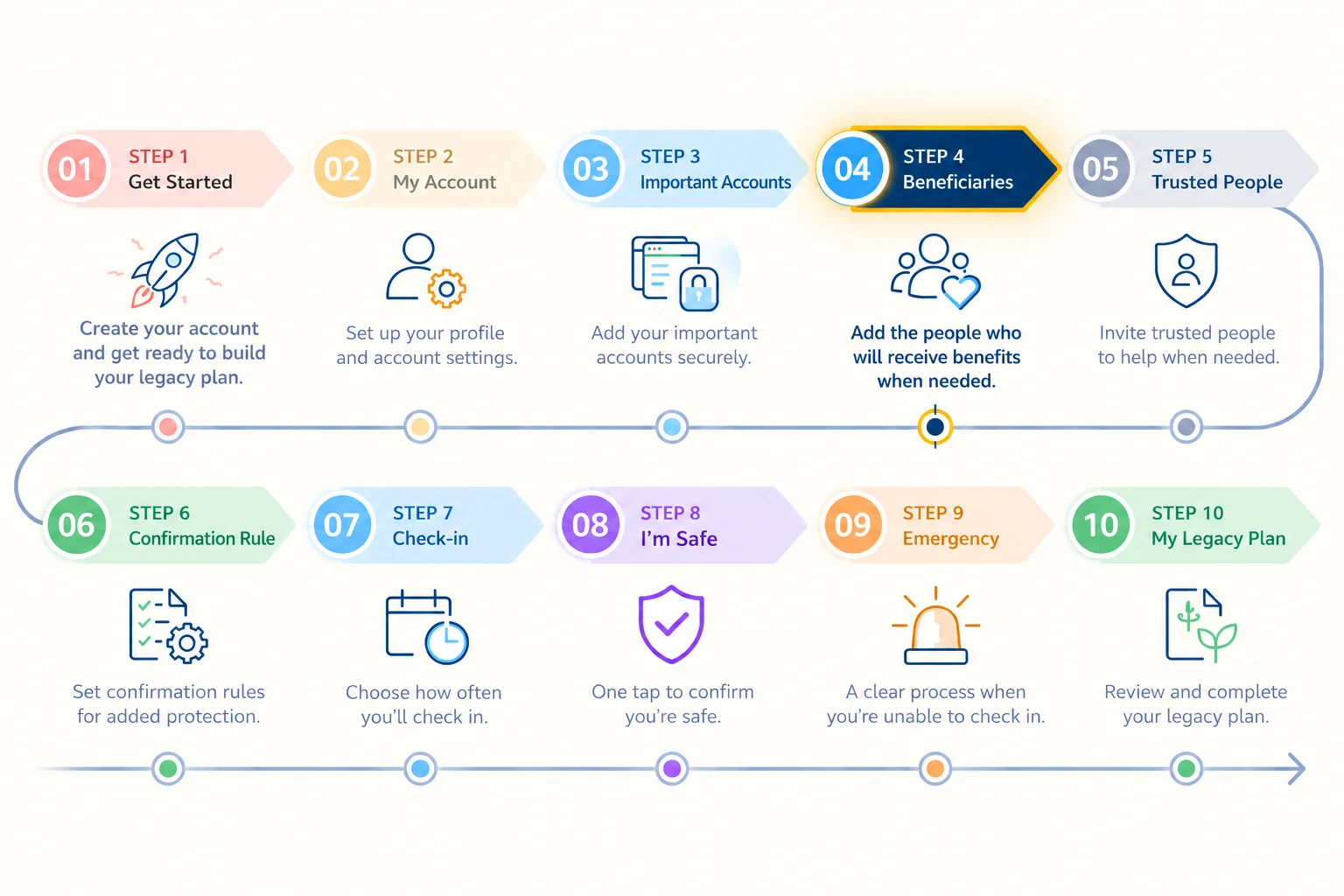
Our Journey | Step 3 — Important Accounts
By Sajja (Jay) — Founder of Pinaigoo
Development Period · 12/09/2026 – 07/10/2026
Note: This period covers the start of development through the initial encryption work. It does not mean that all work was completed on 7 October.
Part 1
At first, I just wanted an online account notebook
One of the main reasons I started building Pinaigoo was a simple question:
If my children ever need to deal with my important affairs, how will they know which accounts I have?
Over the years, I've accumulated bank accounts, email accounts, Facebook, Instagram, YouTube and all sorts of other online services.
Some involve money. Some contain work I've built over many years. Others hold photographs and memories you simply can't put a price on.
The problem isn't that I can't remember all those accounts myself.
The problem is: how would anyone else know they exist?
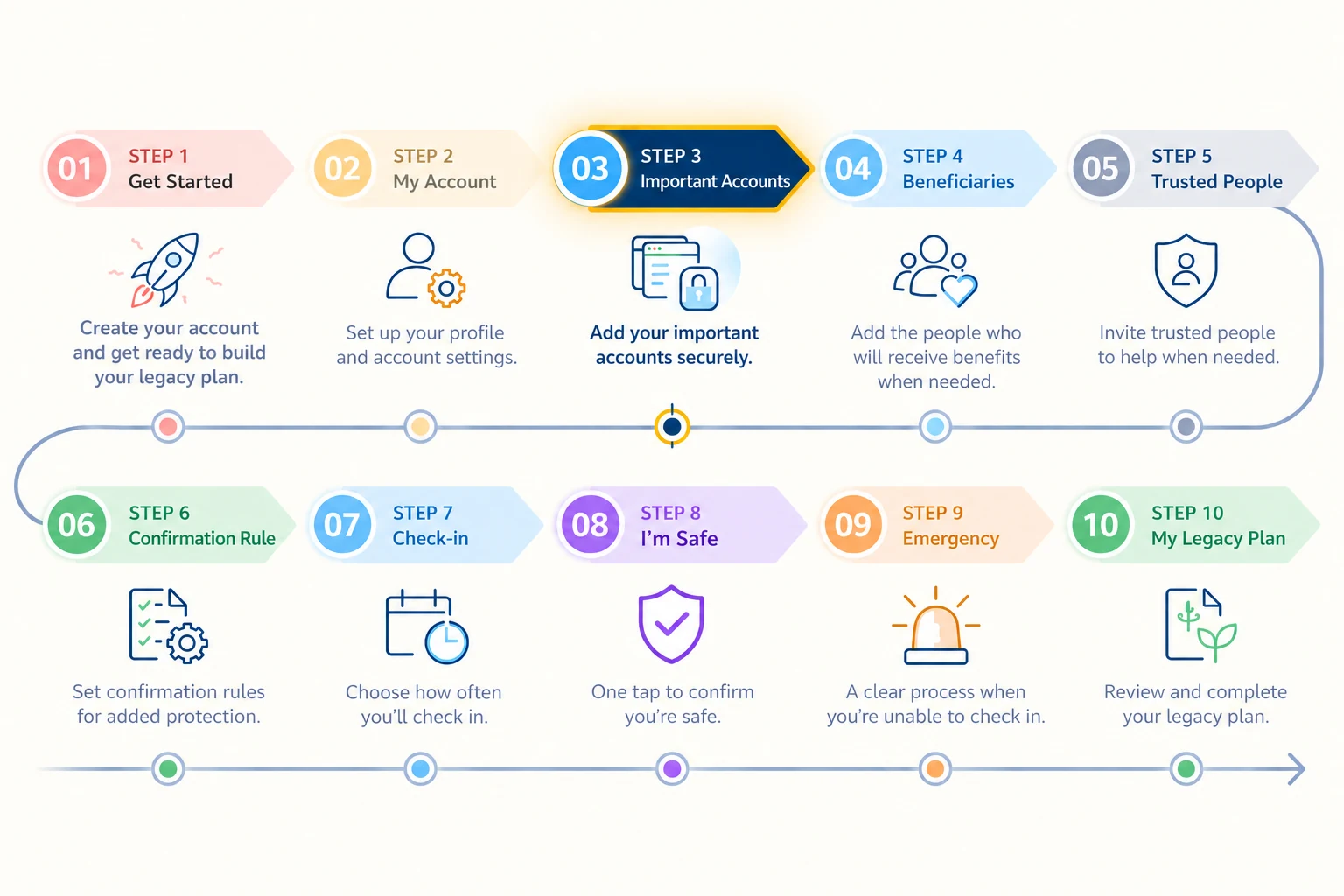
So I imagined Step 3 as a little notebook where an account owner could keep service names, websites, usernames and important details together in one place.
That was it.
A form with a few fields, one Save button, and a View All Accounts page to see the whole list.
Sounds simple, doesn't it?
That's what I thought too.
Until I started asking myself...
“What if someone puts their password in there as well?”
Oh, brilliant. Now I've got a problem! Haha.
1. From an ordinary notebook to information we must protect
At first, I mainly focused on making it convenient to use.
People needed to be able to add accounts easily, return to edit them, and avoid having to enter everything in a single day.
We began building Important Accounts with the ability to add, view, edit and delete entries, along with View All Accounts.
Because real life doesn't stand still.
You might use one bank today, change your email service next year, or open several more online accounts.
I didn't want making a plan to become a one-off task that you couldn't update afterwards.
But the further we developed it, the more I realised that different kinds of information have different levels of sensitivity.
A website name and a password are not the same thing.
Knowing where I have an account and being able to log into it carry very different levels of responsibility.
And that was where Step 3 began getting more and more complicated.
2. The thoughts that started keeping me awake
I started asking AI where this information would be stored.
Who could read it?
How would the account owner access it?
And what if someone accessed the database without permission?
One question led to another.
One moment I was designing a nice-looking form. The next, I was trying to learn about encryption, database permissions, access control and a whole collection of other technical terms.
Some words I could pronounce, but I had no idea how they worked.
Others AI would explain three times, and I'd still have to ask...
“Could you bloody explain that in normal human language?” Haha.
But the more I learned, the more I understood that if we're asking people to store important information with Pinaigoo, we can't treat security as an optional extra.
It has to be part of the design from the beginning.
3. And then AWS KMS entered my life
During development, we began exploring server-side encryption to protect sensitive information.
Eventually, we used AES-256-GCM together with AWS Key Management Service (AWS KMS) in developing Step 3's secret-data management system.
For someone like me who doesn't work in technology, those names sound like secret codes from an intelligence agency.
But the principle I was trying to understand was straightforward.
Secret information shouldn't be stored in a form that anyone opening the database can immediately read.
The system must check that the person making the request really owns the information, and encryption must work alongside access controls.
The difficult thing is that writing “Your information is secure” on a website takes only a few seconds.
Building a system with evidence to support those words is much harder.
4. Being able to encrypt it still isn't enough?
Once the encryption structure started taking shape, I thought we must be getting close to the finish line.
But the work wasn't over.
We needed to check whether information could be saved and read back, whether it remained correct after editing, and what happened when an entry was deleted.
Then there was separation between users.
Someone signed in as account A must not be able to read account B's secret information.
Another issue that mattered a great deal to me was the role of a Trusted Person.
These people may be invited to help confirm a situation under rules set by the plan owner.
But being trusted does not mean they are entitled to open someone's passwords or private account details.
I didn't want to compromise on that.
Helping verify a situation and being authorised to access another person's secrets are completely different things.
5. Every time I thought it was finished, something else needed fixing
Step 3 became one of the areas that went through many rounds of development.
We weren't just making the form easier to use. We also had to develop the database structure, encryption, permission checks and testing in an environment separated from the live system.
Sometimes the progress made me genuinely happy.
At other times, test results sent us back to make changes.
I began learning that, in security work, a failed test doesn't necessarily mean everything has failed.
Sometimes it helps us find a problem before it reaches real users.
And crucially, passing some tests does not mean the system is now completely secure.
There is still work to verify, especially real-world use, error handling and access controls throughout the process.
What I learned
Looking back at the start of Step 3, I just wanted somewhere to list my important accounts so my children would know where to begin.
But actually building it meant learning far more about information security than I'd ever imagined.
I went from thinking a form and a Save button would be enough to sitting there asking AI about encryption and AWS KMS.
Sometimes it's exhausting. Sometimes it's fun. And sometimes I can't help wondering...
“I just wanted to make a bloody online account notebook. How the hell did this turn into a cybersecurity course?” 😂
But I don't regret the time I've spent on it at all.
Because I've started to understand that building a platform involving important family information isn't just about making it easy to record things.
We also have to think about how we'll protect that information.
Trust doesn't come from the word Secure on a website. It comes from what we actually build, test and can demonstrate.
For me, that's the most important lesson from Step 3.
Part 2
Step 3 — Important Accounts: Secure Data Management & Encryption
This section summarises Step 3's technical development, recording the work's scope, security architecture and test results supported by evidence.
1. Development Scope
- Important Accounts Management: Add, view, edit and delete important accounts
- View All Accounts: Display and manage the account entries recorded by the plan owner
- Account Identification: Record service names, websites, usernames and necessary reference information
- Sensitive Data Handling: Separate ordinary information from secret information requiring protection
- Authenticated Access: Verify identity and permissions before operating on information
- Bilingual Interface: Support Thai and English
- Responsive Design: Support desktop, tablet and mobile
2. Technology & Architecture
Supabase / PostgreSQL
A database is used to manage Important Accounts and related information, with each user's information designed to be subject to access controls.
Row Level Security (RLS)
Row-level access restrictions are used to prevent users from accessing other people's entries without authorisation.
AWS Key Management Service (AWS KMS)
A key management service is used alongside Step 3's secret-data encryption architecture.
AES-256-GCM Encryption
Authenticated encryption is used to protect sensitive information and verify the integrity of encrypted data.
Envelope Encryption
The approach developed encrypts information with a Data Encryption Key and protects that key through a key management system, rather than using a permanent key embedded in client-side code.
Server-side Security Controls
Operations involving secret information must pass through server-side identity and permission checks, rather than relying only on interface-level protection.
3. Implementation & Testing
Important Accounts development has taken place in several phases, from building the user interface to developing encryption and permission checks.
Examples of work with development records and QA results from later stages include:
- Saving and reading information through an encrypted service
- Editing information and checking its correctness after updates
- Checking that access to information follows account-owner permissions
- Testing rejection of requests that do not meet access conditions
- Testing with synthetic data in a staging environment
- Testing the encryption service's integration with AWS KMS
- Testing permissions and their interaction with membership-level usage limits
Recorded evidence of progress
During 5–7 October 2026, encryption architecture using AWS KMS and AES-256-GCM was developed.
Throughout October 2026, we continued developing and testing encrypted Important Accounts management, including saving, reading and editing information and checking access permissions. A staging environment was used for some testing. This does not claim that all testing took place in Production or was completed on any single date.
Later in October, work also included permission tests, account limits, concurrent requests and separating the staging environment so testing would not affect real users' information.
These results demonstrate progress within the scope tested. They are not certification that the system has passed every aspect of security assessment.
4. Security Principles
Account Ownership
Account owners must be authorised to manage their own information, and the system must check permissions on the server.
Sensitive Data Protection
Secret information must not be stored as plaintext without appropriate protective measures.
Least Privilege
Permissions should reflect the needs of each role, without giving anyone more access than their assigned responsibilities require.
Trusted Person Restrictions
A Trusted Person cannot view passwords or private account details merely because they have been invited to help confirm a situation.
Controlled Testing
Use test data and an environment separated from Production for checks that could carry risk.
5. Current Development Status
Developed
The Important Accounts management interface, database structure and encrypted secret-data management service have been developed.
Verified Within Documented Scope
There is evidence of tests covering encryption, saving and reading information, editing entries and permission checks in specified cases.
Requires Continued Verification
Further checks are still needed for real-world use across devices and browsers, error handling, stability, ongoing permission testing and security readiness before expanding the user base.
Completed development and fully verified security must not be treated as the same status.
6. Technical Takeaway
Step 3 shows that developing a system to store important information doesn't end with a database or user interface.
It also needs authentication, authorisation, encryption, key management and testing that can be traced back to evidence.
Protecting sensitive information requires more than encryption. It requires carefully designed access boundaries and continuous verification.
Protecting important information isn't just about encryption. It also requires carefully defined access boundaries and continuous system verification.
Jay — Founder of Pinaigoo | My Legacy Circles